Print the code once. Change where it goes forever.
A dynamic QR code holds a short link on qr-kode.io, not the final page. Point it to a menu today and a coupon next month, and every scan is counted along the way.
- Free to start
- No credit card
- English and Arabic
- 22 destination types
Right now it opens
A real dynamic code: scan it with your phone and it opens this site.
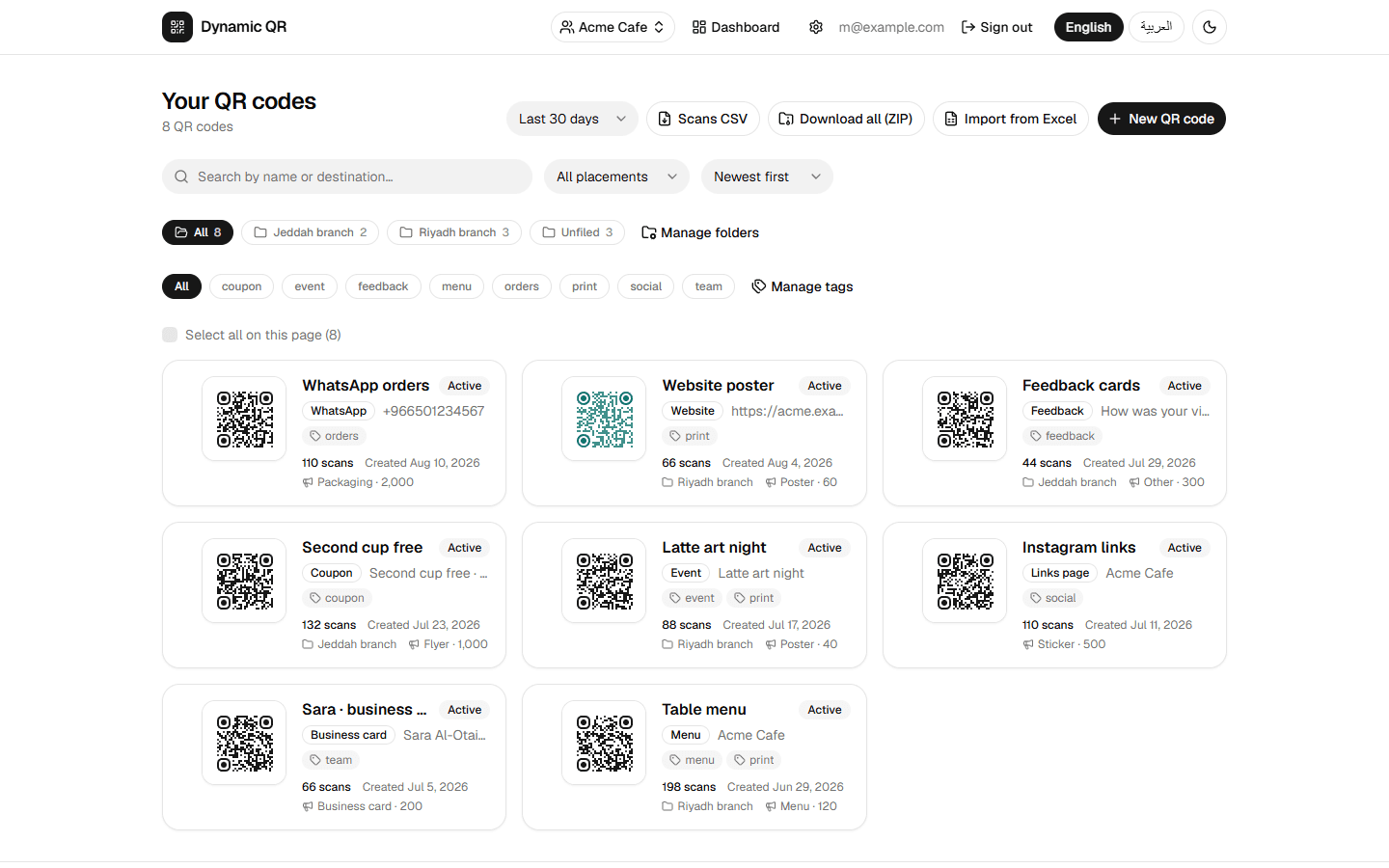
Your dashboard, as it really looks: every code with its scans, tags and folder, ready to filter, export or edit.
How it works
Three steps, and the last one repeats as often as you like.
- 1
Create
Pick a destination, style the code with your colors and logo, and download it as PNG, JPG, SVG, PDF or EPS.
- 2
Print
Put it on menus, packaging, posters, business cards or a book cover. The printed code never has to change.
- 3
Change any time
Open the code, set a new destination, save. The next scan lands on the new page. No reprint, no new sticker.
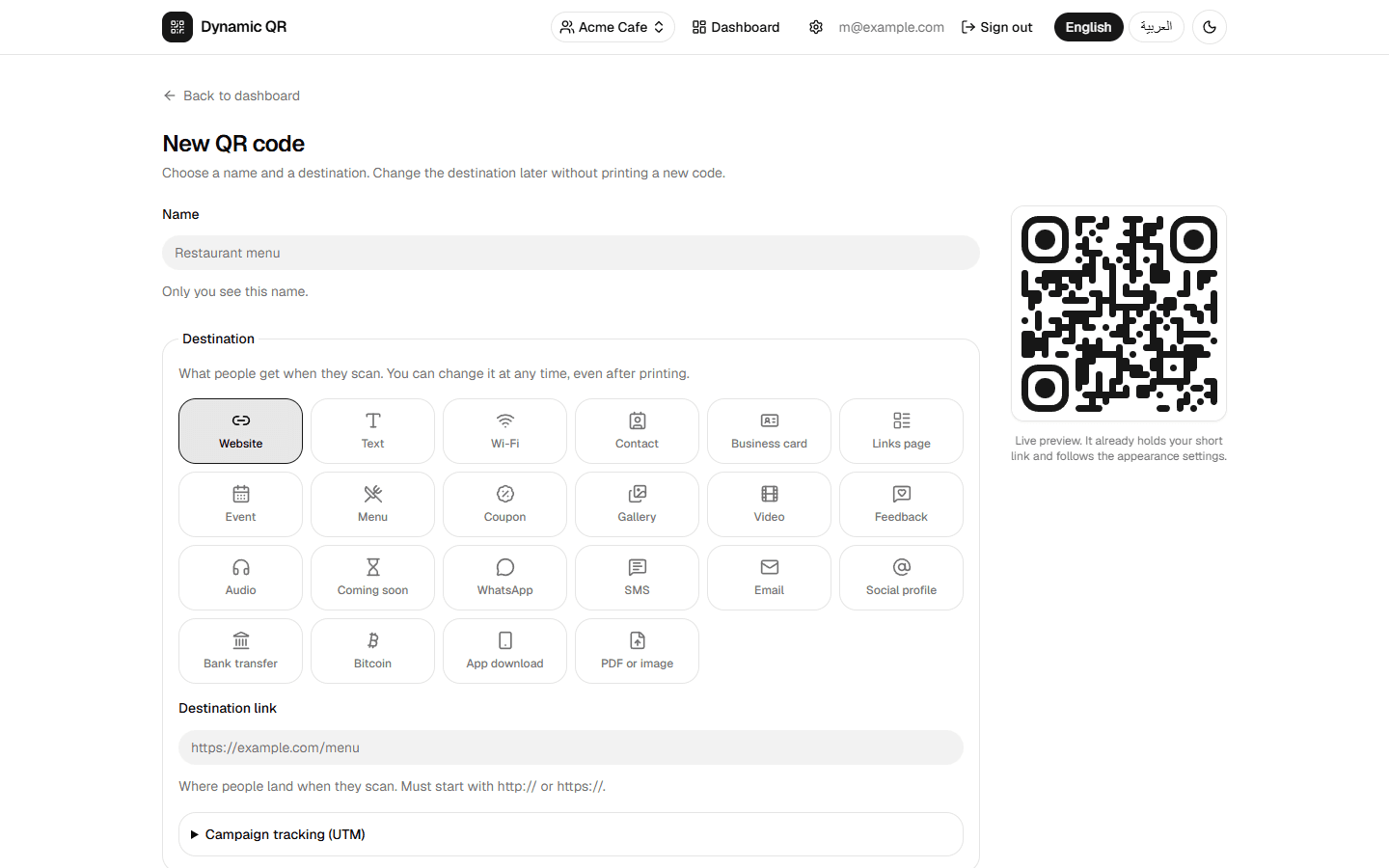
One code, 22 kinds of destination
Send people to a link, or let us host the page for you. Switch between types later without touching the print.
Links and contact
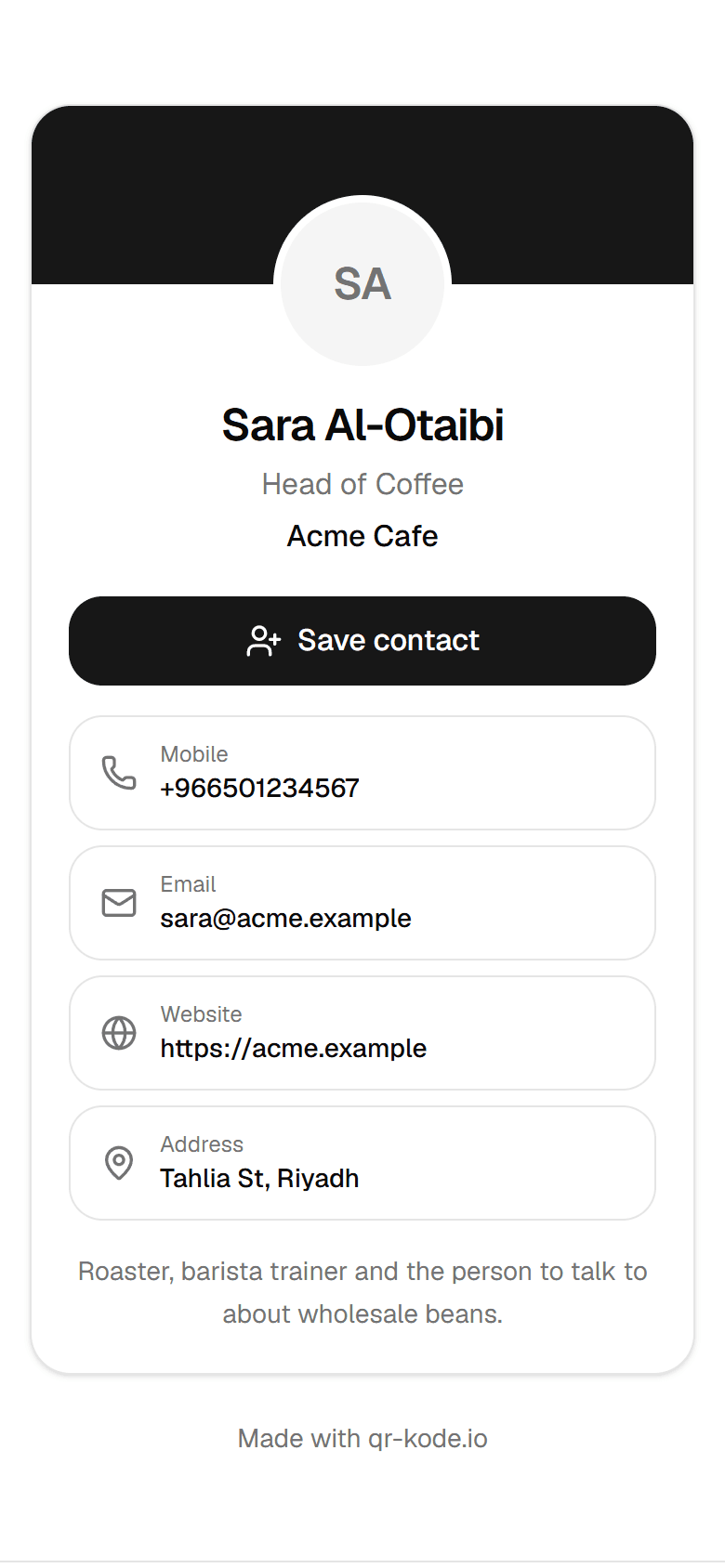
Open a website, start a WhatsApp chat, prefill an SMS or email, join a Wi-Fi network or save a contact.
- Website
- SMS
- Social profile
- Wi-Fi
- Contact
- Text
Hosted pages, no website needed
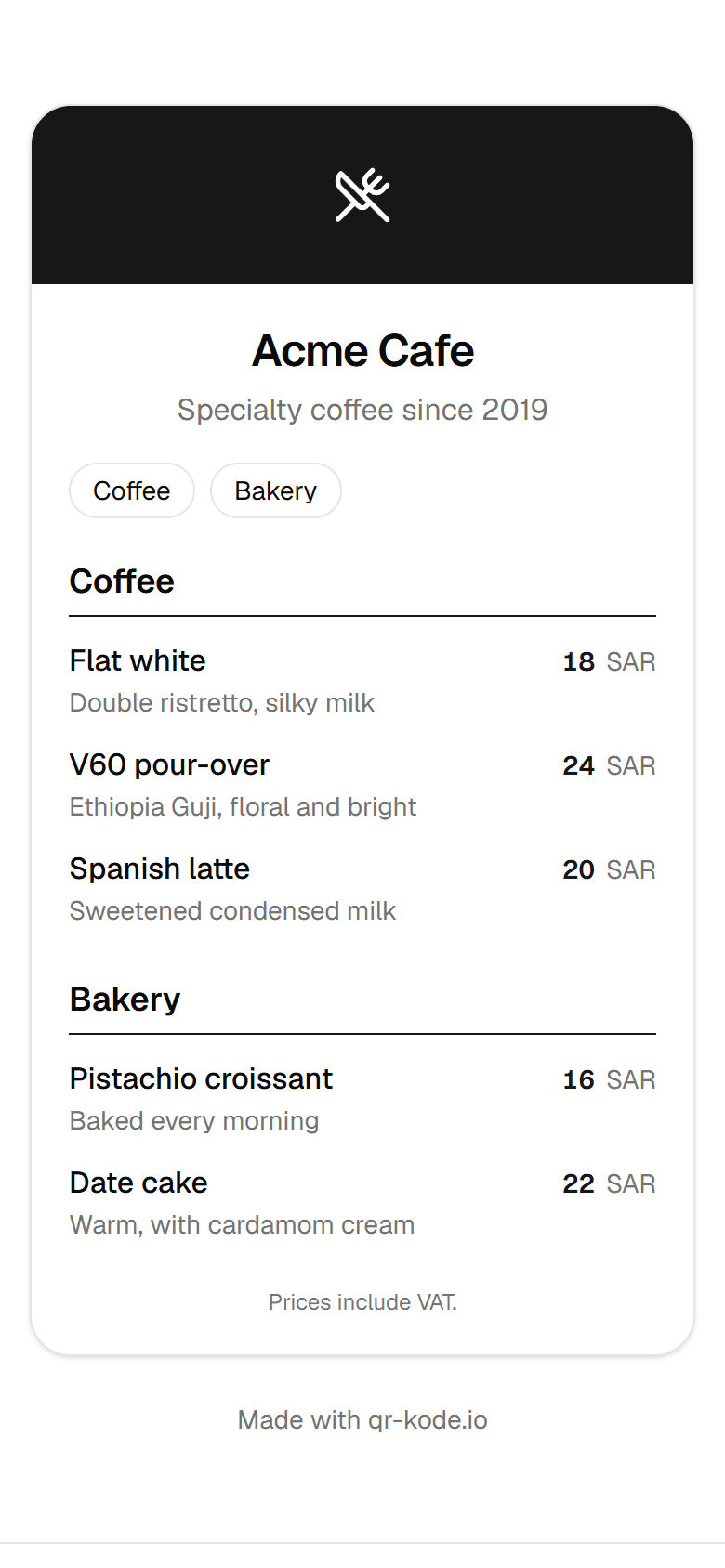
Build the page inside the editor: business card, link list, event with “Add to calendar”, restaurant menu, coupon, gallery, video, audio, rating form or a “coming soon” page for codes printed before launch.
- Business card
- Links page
- Event
- Menu
- Coupon
- Gallery
- Video
- Audio
- Feedback
- Coming soon
Payments
A bank-transfer page with an EPC code that banking apps read, or a Bitcoin page that opens the wallet with the amount filled in.
- Bank transfer
- Bitcoin
Files and apps
Upload a PDF or image and serve it from the code, or send each phone to its own app store.
- PDF or image
- App download
Looks like your brand, scans like a QR code
Every sample here is rendered live by the same engine you get in the editor.
Colors, shapes and a logo
Choose the dot and corner shapes, both colors, a transparent background and a logo in the middle. Error correction is raised automatically so the logo never breaks the scan.
Design templates
Save an appearance under a name and apply it to one code or to hundreds at once from the dashboard.
Print-ready files
PNG and JPG up to 2048 px, SVG and PDF for designers, EPS for print shops, and an optional frame with your own “Scan me” text.
- Rounded dots
- Brand color with logo
- Inverted for dark packaging
Know which placement works
Every scan is recorded with what a phone reveals and nothing more. Compare the poster with the flyer and keep what performs.
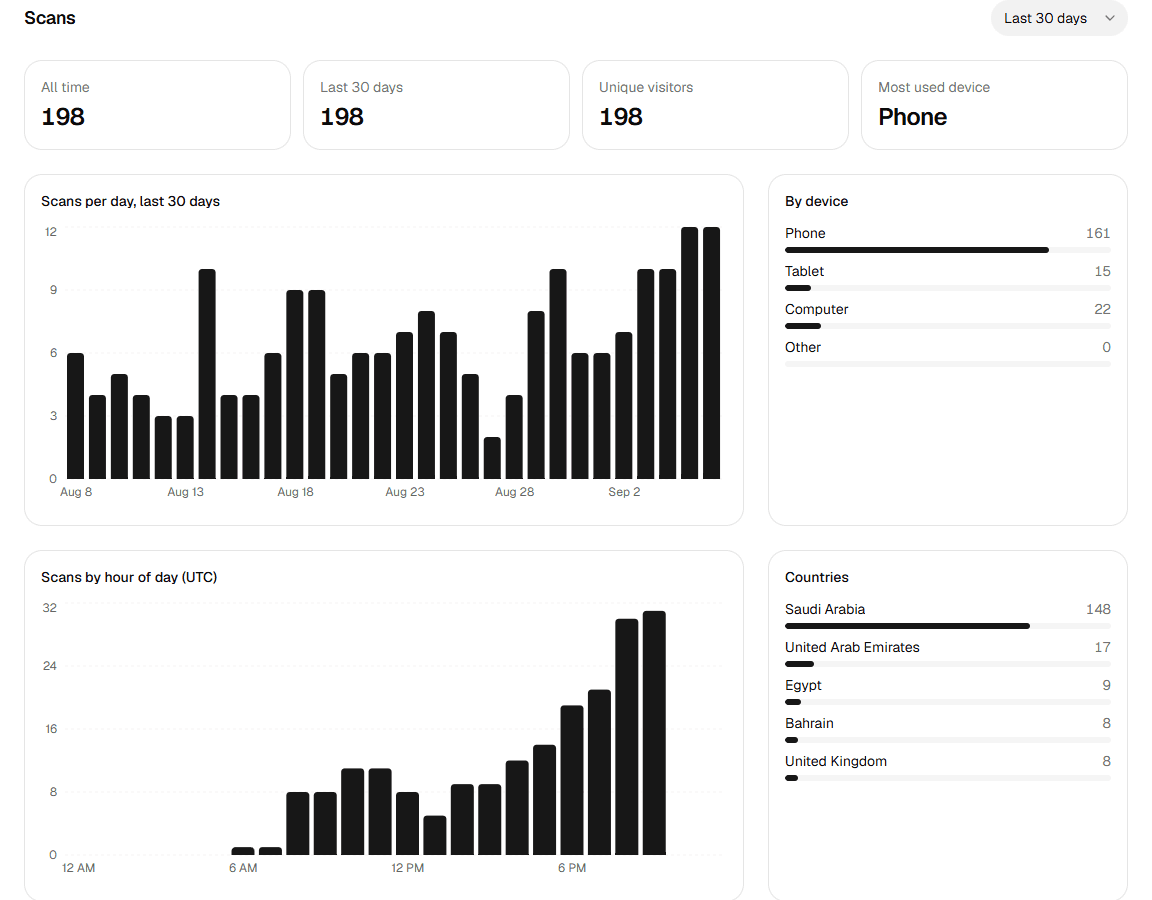
- Scans and unique visitors
- Totals for any range from the last 7 days to a full year.
- Per day
- A daily curve so campaign launches and quiet weeks are obvious.
- Hour of day
- See when people scan and time your offers accordingly.
- Device, system and browser
- Phone or desktop, iOS or Android, and the browser used.
- Country and city
- Where the scans come from, down to the city.
- CSV export
- Download the scans of one code or of the whole workspace for your own reports.
Stay in control after printing
Rules run at scan time, on our servers, so a code that is already on ten thousand boxes still obeys you.
Pause and resume
A paused code shows a polite “not available” page instead of the destination.
Scan password
Ask for a password before the destination opens.
Destination per language
Arabic phones get the Arabic page, everyone else the default.
Opening hours
A daily active window in your time zone, for example the lunch menu from 12 to 4.
Expiry date
Stop a promotion on a date without touching the print.
Scan limit
Cap the number of scans, useful for limited offers.
Coming soon page
Print before launch and show a placeholder until the real page is ready.
Change a rule and it applies to the next scan, everywhere, at once.
Built for teams and for hundreds of codes
From a single café to an agency managing clients, the workspace grows with you.
Workspaces with roles
Invite your whole team as owner, admin or member. Codes, statistics and keys belong to the workspace, not to one person.
Folders, tags and campaigns
File codes in folders, tag them, and note where each one is printed, how many copies and for how long.
Import from Excel
Up to 500 codes per file, with names, links, tags, folders and even your own short codes.
Download everything as ZIP
All codes in one archive in the format and size you choose, with a CSV index.
API and webhooks
Create and update codes from your own software and get a call the moment a code is scanned.
Two-factor authentication
Protect the account with an authenticator app and backup codes. Sign in with email or Google.
Questions people ask before printing
Ready to print with confidence?
Your first dynamic QR code takes less than a minute.